
This Tech Tip demonstrates how to ring all phones first, then overflow to the Part-Time InMail Auto-Attendant, 24 hours a day, 7 days a week. This configuration applies to both the NEC SL2100 and SL1100 phone systems.
Get Connected
This procedure requires access to the NEC SL2100 using the PCPro Programming Software.
To download PCPro or learn how to connect to the phone system, refer to:
How to Connect to the NEC SL2100 or SL1100 Phone System for Programming
Programming Steps
1. Set Trunks to Normal Mode
Program: 22-02: Incoming Call Trunk Setup
Set all trunks to Normal in Mode 1.
Why: This ensures we can assign them to a Ring Group before they overflow to voicemail.
2. Assign Trunks to Ring Group 1
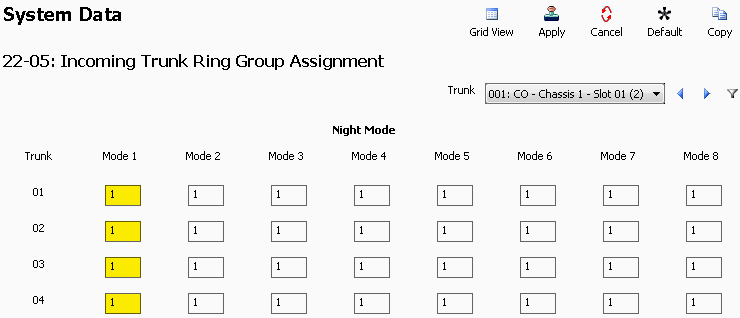
Program: 22-05: Incoming Trunk Ring Group Assignment
Set all trunks to Ring Group 1 in Mode 1.
Why: The 1 represents Ring Group 1, meaning that in Mode 1 (Day Mode), all trunks will ring a group of extensions first before forwarding to voicemail.
3. Assign Extensions to Ring Group 1
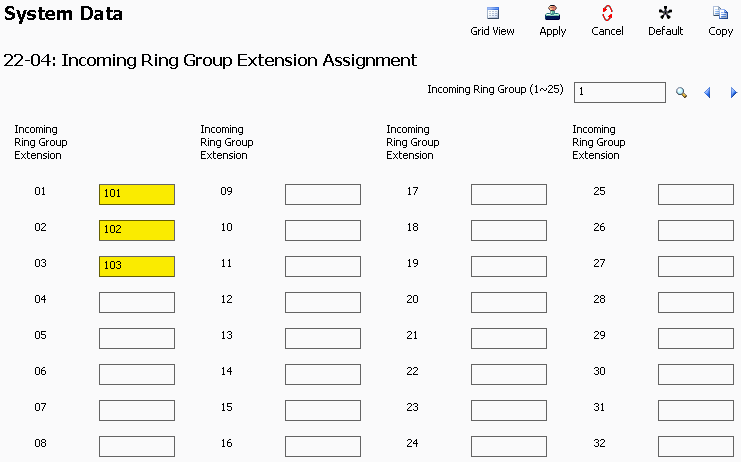
Program: 22-04: Incoming Ring Group Extension Assignment
Enter the desired extension numbers to be part of Ring Group 1. These extensions will ring when calls arrive.
4. Set Ring Time Before Overflow
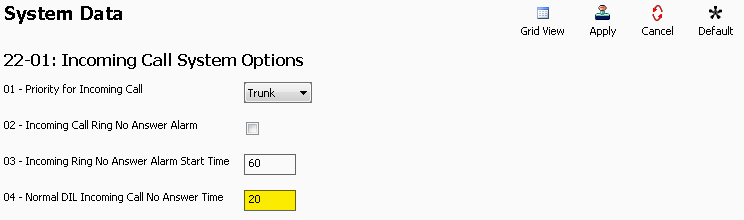
Program: 22-01: Incoming Call System Options
Field: 22-01-04: Normal DIL Incoming Call No Answer Time
Set this to the number of seconds the phones should ring before forwarding.
Recommended: 20 seconds (approx. 5 rings)
5. Set Overflow Destination to InMail
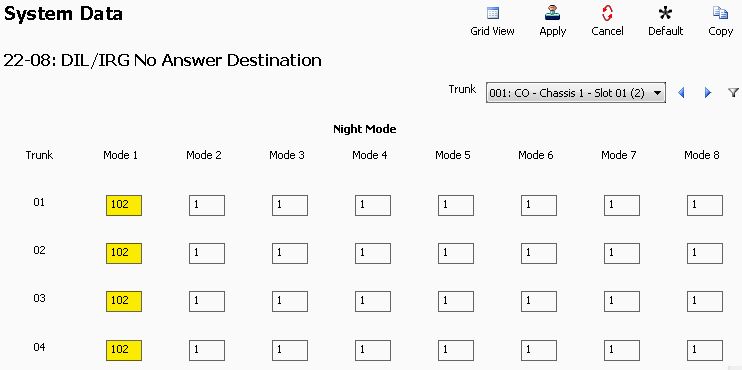
Program: 22-08: DIL/IRG No Answer Destination
Set the Mode 1 field for all trunks to 102.
Why: 102 is a system-level IRG reserved for the voicemail ports (not extension 102).
6. Configure InMail Answer Schedule
Program: 47-12: InMail Answer Schedule
Under Answer Table 1, configure Schedule 1 as follows:
| Field | Value |
|---|---|
| Schedule Type | Range of Days |
| Answer Mailbox Type | Routing |
| Answer Mailbox Number | 1 |
| Scheduled Day of Week | Sunday |
| Scheduled Range Start | Monday |
| Scheduled Range End | Friday |
| Scheduled Date | 00/00 |
| Scheduled Start Time | 08:30 |
| Scheduled End Time | 17:00 |
Adjust the schedule to match the client’s preferred business hours.
7. Set Default Voicemail Mailbox
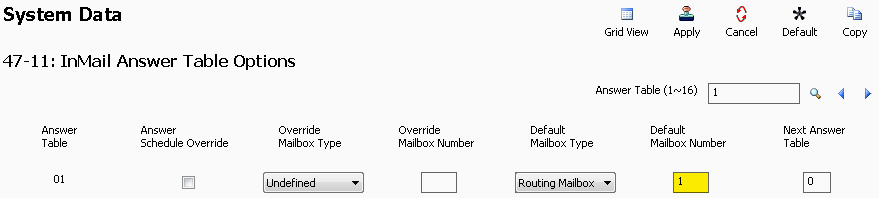
Program: 47-11: InMail Answer Table Options
In Answer Table 1, set Default Mailbox Number to 1.
Why: This ensures that voicemail picks up outside of the business hours defined in 47-12, enabling 24/7 coverage.
8. Apply and Upload
Once all changes are complete:
- Click the Apply button.
- Click the Upload button to send changes to the system.