
This Tech Tip demonstrates how to program all phones to ring, then overflow and be answered by the Part Time InMail Auto-Attendant during the day and play a separate greeting at night by utilizing a Manual Night Function Key via a Virtual Extension. This tip applies to the NEC SL2100 and NEC SL1100 Phone Systems.
Get Connected
This procedure requires access to the NEC SL2100 using the PCPro Programming Software.
To download PCPro or learn how to connect to the phone system, refer to:
How to Connect to the NEC SL2100 or SL1100 Phone System for Programming
Programming Steps
- Go to Program 22-02: Incoming Call Trunk Setup
• Mode 1 will be the Day Mode
• Mode 2 will become the Night Mode - Set Mode 2 to “DIL” for all trunks
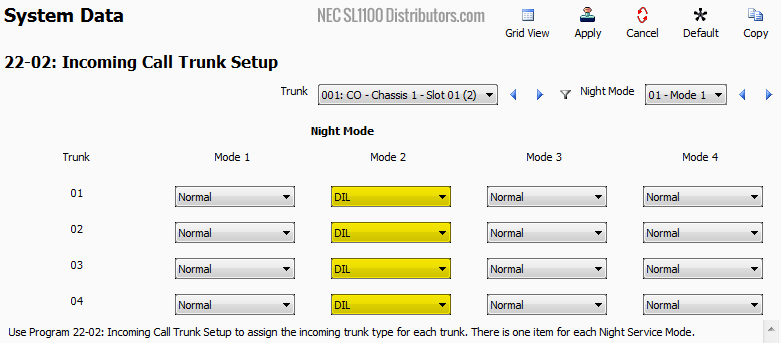
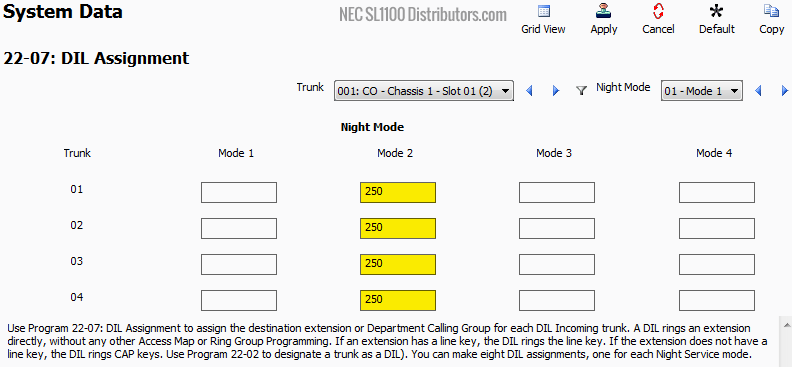
- Go to Program 22-07: DIL Assignment
• Set Mode 2 to250for all trunks
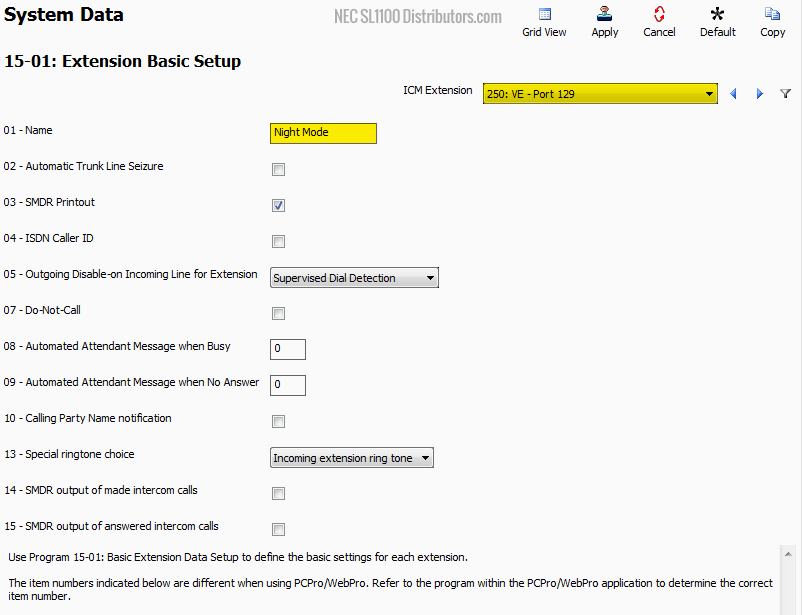
- Go to Program 15-01: Extension Basic Setup
• In the ICM Extension dropdown, select Extension250
• Set 15-01-01: Name toNight Mode
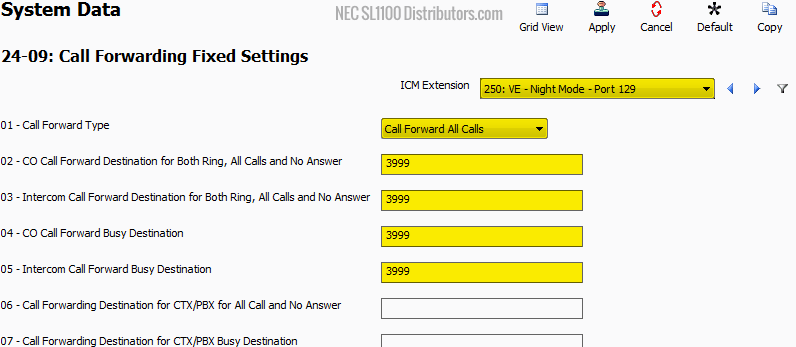
- Go to Program 24-09: Call Forwarding Fixed Settings
• In the ICM Extension dropdown, select Extension250
• Set 24-09-01: Call Forward Type toCall Forward All Calls
• Set 24-09-02 through 24-09-05 to3999(Voicemail pilot number)
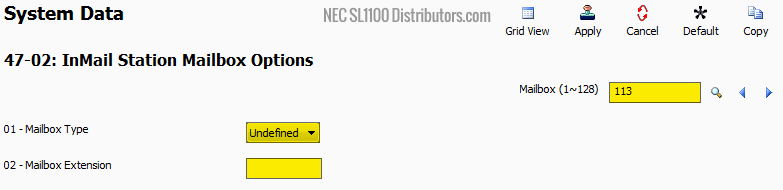
- Go to Program 47-02: InMail Station Mailbox Options
• Navigate to Mailbox113
• Set 47-02-01: Mailbox Type toUndefined
• Remove the Mailbox Extension assignment — leave the field blank
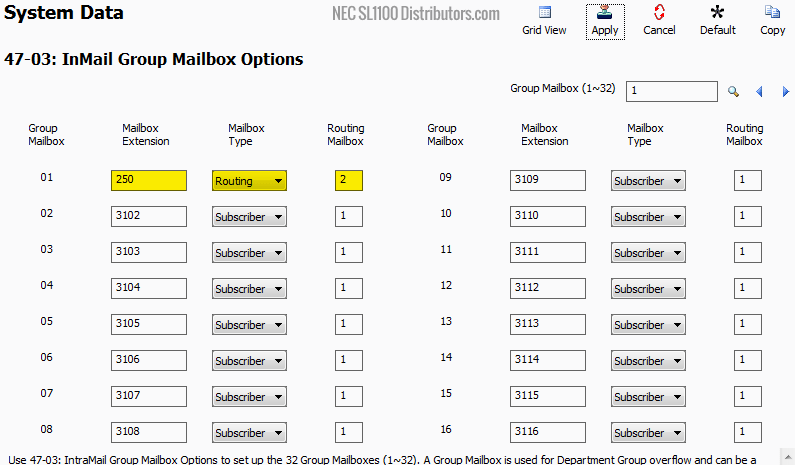
- Go to Program 47-03: InMail Group Mailbox Options
• For Group Mailbox 01, set:
• Mailbox Extension:250
• Mailbox Type:Routing
• Routing Mailbox:2
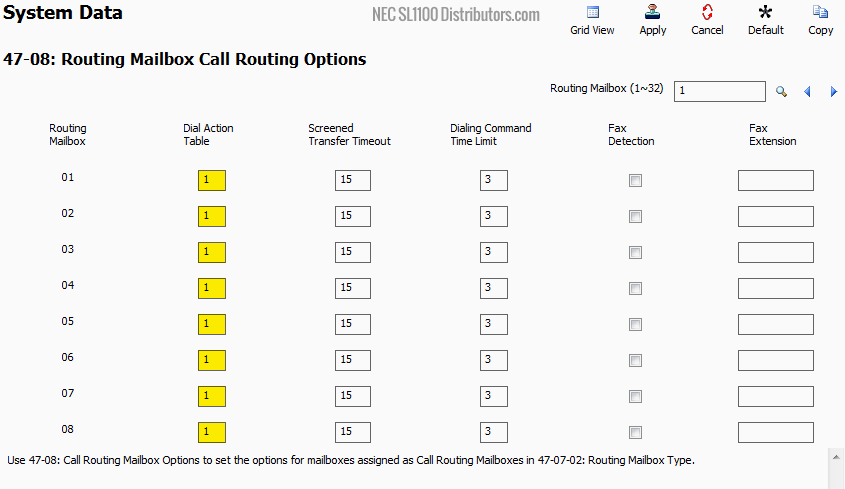
- Go to Program 47-08: Routing Mailbox Call Routing Options
• For all Routing Mailboxes, set Dial Action Table to1
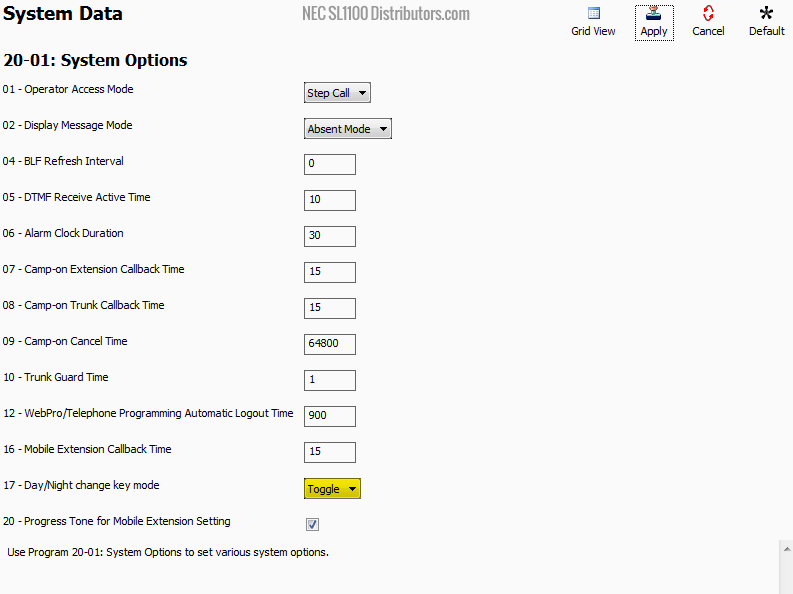
- Go to Program 22-01: System Options
• Set 20-01-17: Day/Night Change Key Mode toToggle
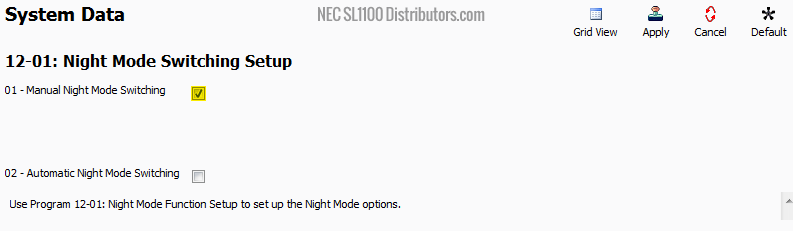
- Go to Program 12-01: Night Mode Switching Setup
• Enable checkbox 12-01-01: Manual Night Mode Switching
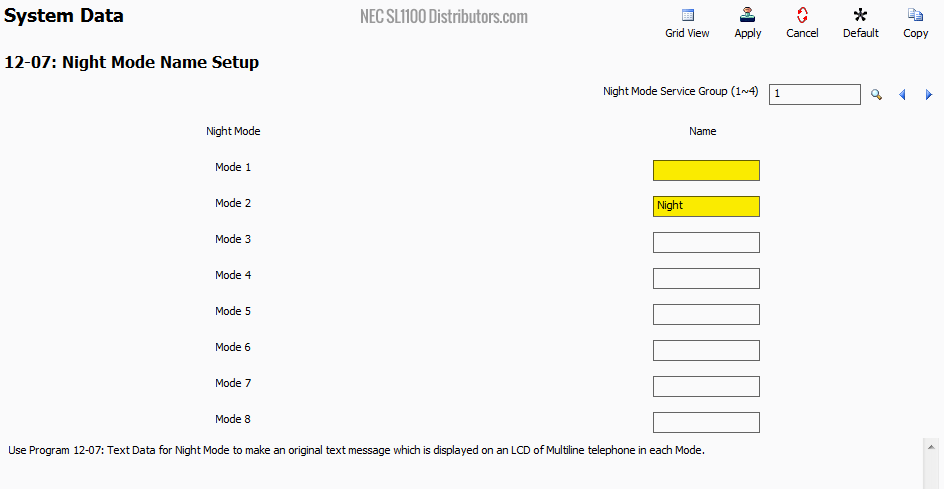
- Go to Program 12-07: Night Mode Name Setup
• For Mode 1: leave the Name field blank
• For Mode 2: enterNight(this will appear on the phone’s display)
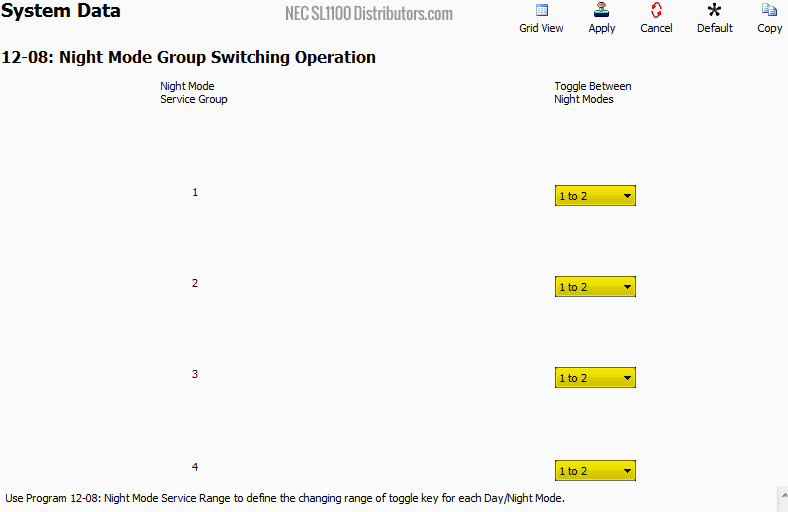
- Go to Program 12-08: Night Mode Group Switching Operation
• For all dropdowns, set the value to1 to 2
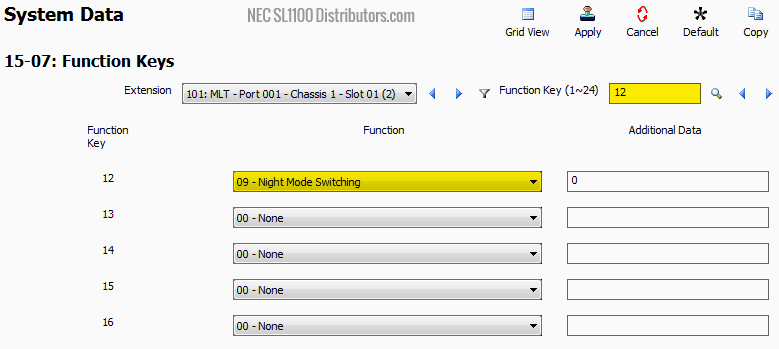
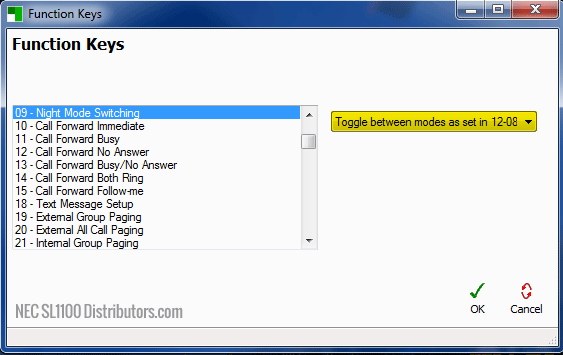
- Go to Program 15-07: Function Keys
• Navigate to Function Key12
• Set its value to09 – Night Mode Switching
- In the Pop-Up Dialog Box
• Select:Toggle between modes as set in 12-08
- Apply and upload your changes