
Wireshark allows you to capture and analyze VoIP network traffic and packet data from the NEC SL2100 and SL1100. This is a must-read for installers working with or troubleshooting VoIP issues.
Hardware Requirements
- NEC SL2100 or SL1100 with VoIP Daughterboard Card
- NEC IP Phone
- A laptop with a 10/100 or 10/100/1000 Ethernet interface card
- A managed switch capable of port mirroring
- (3) Cat5e or Cat6 Ethernet cables
‼️ Important: Hubs cannot be used. The VoIP daughterboard requires a full duplex 100/1000 Ethernet connection. All hubs are half duplex and typically limited to 10 Mbps.
Software Requirements
- Wireshark Windows Installer
- Optional: Notepad++ for examining SIP payloads
Download Wireshark from the official site: https://www.wireshark.org/download.html
Before Capturing Data
- Ensure the phone system is powered on and connected to the same LAN segment as the PC capturing traffic.
- Open Wireshark.
- Select the correct capture interface (e.g., “Local Area Connection”).
- Click Start to begin the packet capture.
- You should see packet data populating in real time.
⚠️ Note: Use port mirroring on your managed switch to replicate traffic from the VoIP device or NEC system port to your capture laptop.
Ensure That RTP and SIP Traffic Is Being Captured
- Stop the current capture.
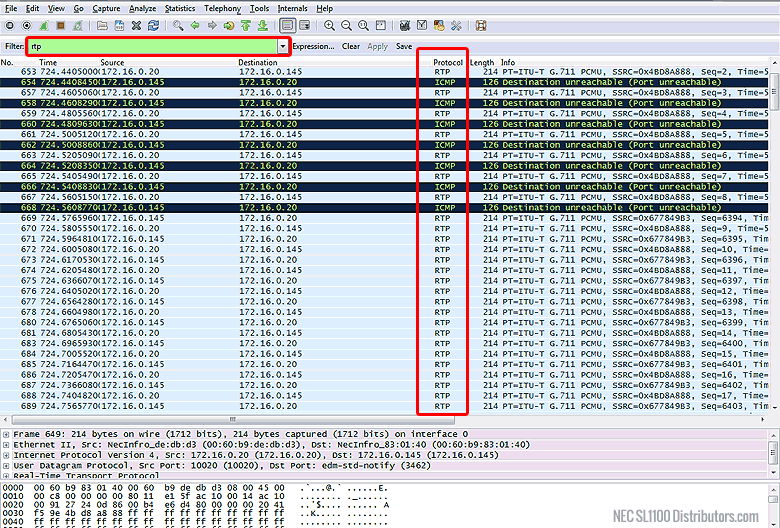
- In the filter text box, type
rtpand click Apply.- Confirm that RTP traffic is visible.
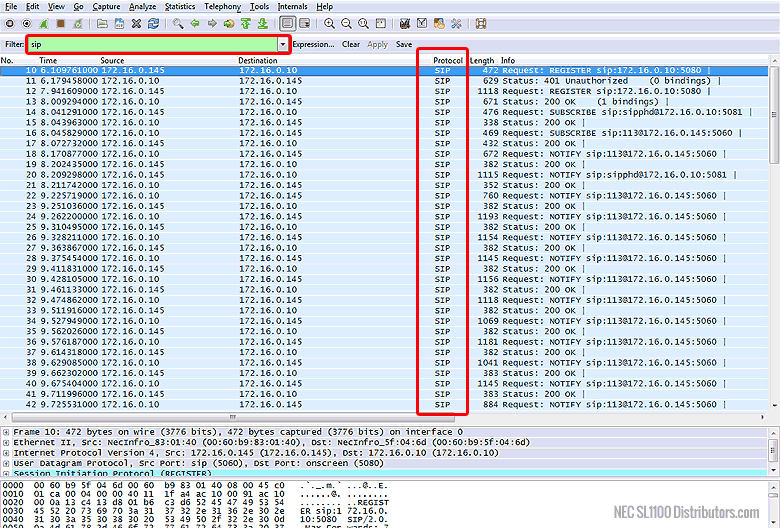
- In the filter text box, type
sipand click Apply.- Confirm that SIP traffic is visible.
- Close the capture:
- File → Close
- Click Continue without Saving when prompted
⚠️ Tip: RTP packets are voice data, while SIP packets are signaling (e.g., call setup and teardown). You’ll need both to fully understand what’s happening on a VoIP call.
Capturing the Data for Troubleshooting
- Start a new capture session.
- Reproduce the issue:
- Make test calls or perform the exact steps that trigger the VoIP problem.
- Once enough data is captured, click Stop.
- Save the capture:
- File → Save As
- Use a meaningful filename that includes the date and customer name.
- Email the
.pcapngfile to support@mytelpros.com
‼️ Important: If you’re capturing a call between a phone system and a remote VoIP phone, you must capture packets from both ends simultaneously to properly analyze one-way audio or firewall issues.
Final Recommendations
NEC systems do not tolerate SIP ALG or other SIP management features on modems or routers.
Be sure to:
- Disable SIP ALG on all routers and firewalls
- Disable VoIP/SIP helpers or “SIP fixup” settings, if present
If you’re unsure whether SIP ALG is enabled, test with a known-good router or contact your network equipment vendor for confirmation.