This Tech Tip demonstrates how to use the NEC PCPro Programming Software to upload a license to the NEC SL1100 phone system.
Get Connected
This procedure requires access to the NEC SL2100 using the PCPro Programming Software.
To download PCPro or learn how to connect to the phone system, refer to:
How to Connect to the NEC SL2100 or SL1100 Phone System for Programming
Instructions
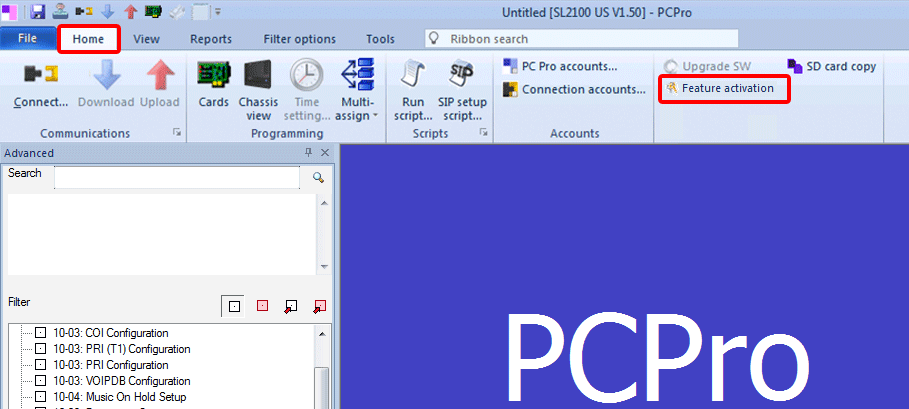
1. Click the Home tab
2. Click on Feature Activation
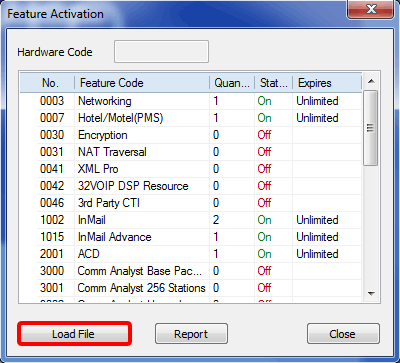
3. A pop up window will open showing all available licenses
4. Click the Load File button
5. Another window will open, allowing you to browse your computer for the license file
6. Navigate to the license file, select it, and click the Open button
7. The license will automatically be uploaded and applied to the system
8. Reboot the NEC SL2100 or SL1100 phone system for the change to take effect