
Music On-Hold Transfers allow callers to hear the on-hold music when they’re being transferred from one extension to another. This tip applies to both the NEC SL2100 and the NEC SL1100 Phone System.
Get Connected
This procedure requires access to the NEC SL2100 using the PCPro Programming Software.
To download PCPro or learn how to connect to the phone system, refer to:
How to Connect to the NEC SL2100 or SL1100 Phone System for Programming
PCPro Programming Steps
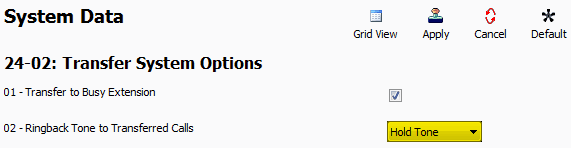
1. Go to Program 24-02: Transfer System Options
2. Set the value of 24-02-02: Ringback Tone to Transferred Calls to “Hold Tone”
3. Apply and upload these changes