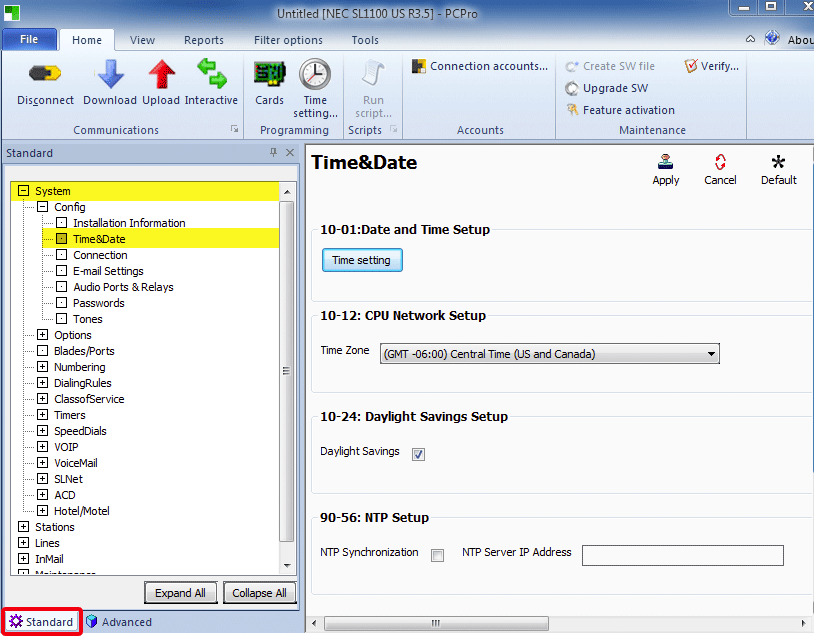
This Tech Tip demonstrates how to use the PCPro Programming Software to set the the time and date of the phone system. This tip applies to both the NEC SL1100 only.
Get Connected
This procedure requires access to the NEC SL2100 using the PCPro Programming Software.
To download PCPro or learn how to connect to the phone system, refer to:
How to Connect to the NEC SL2100 or SL1100 Phone System for Programming
PCPro Programming Steps
Note: These steps must be performed in Standard Programming mode
1. Expand the System Category Tree
2. Select Time & Date
All of the system’s time and date programs are conveniently grouped together so you can edit them on one page.